DSGN SAGE
Give For Good logo

Give For Good — 2024

Bringing order to giving. The admin backend behind Give for Good

Give For Good cover image
Role
Product Designer. I owned the design end to end.
Team
Product lead and a full-stack developer
Timeline
3 months
Tags
Nonprofit / Charity
Admin

01/Overview

Overview

Give for Good, by United Way, acts as the middle agent between donors and charity homes across Canada. The platform connects people who want to give with the agencies that serve their communities. I designed the admin backend that runs it: the internal system staff use to manage tenants, agencies, donors, and the donations that flow between them. The goal was to take a process that lived on a single cluttered page and turn it into a structured tool that non-technical staff could pick up and run with little training.

02/Roles

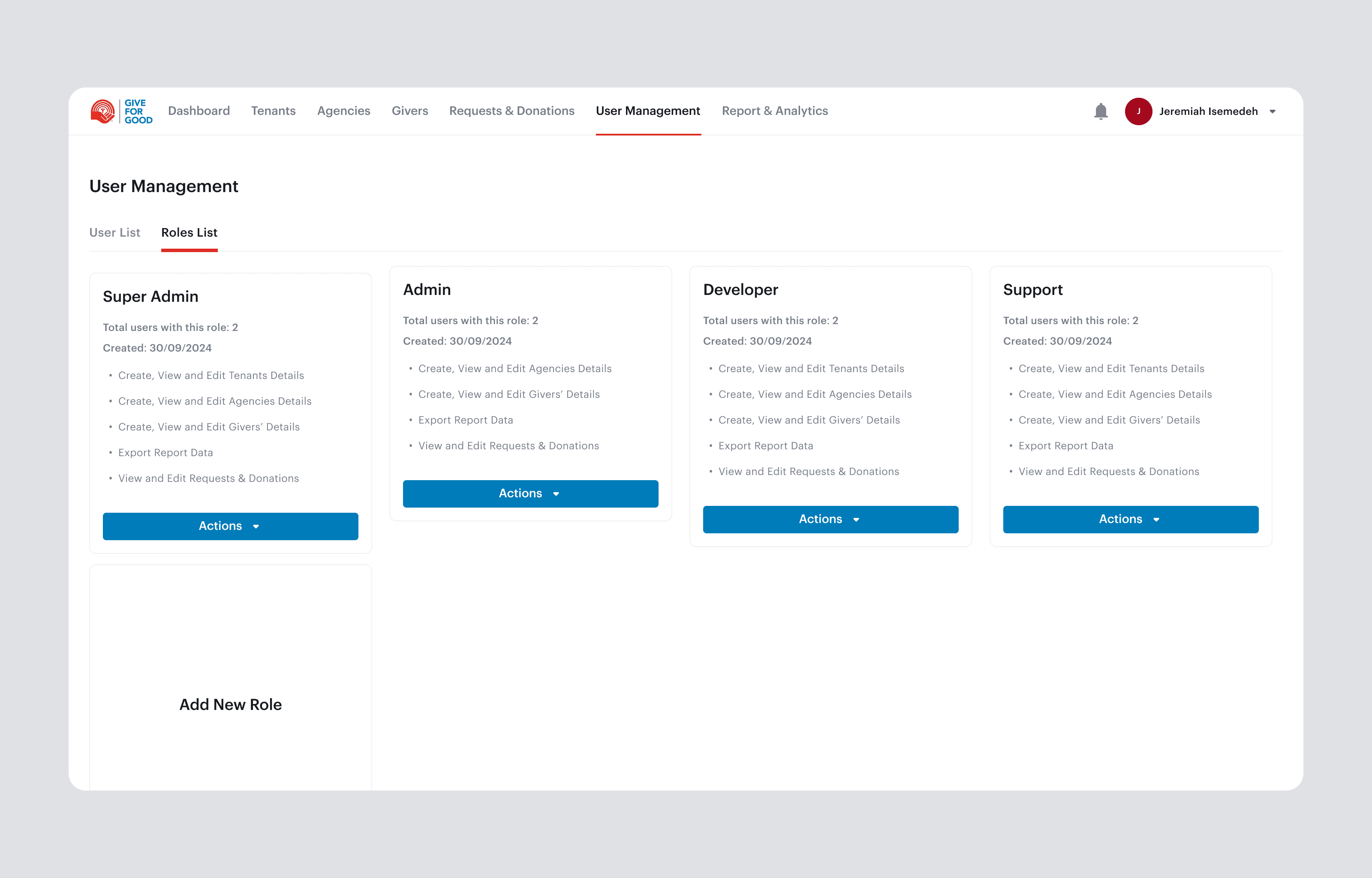
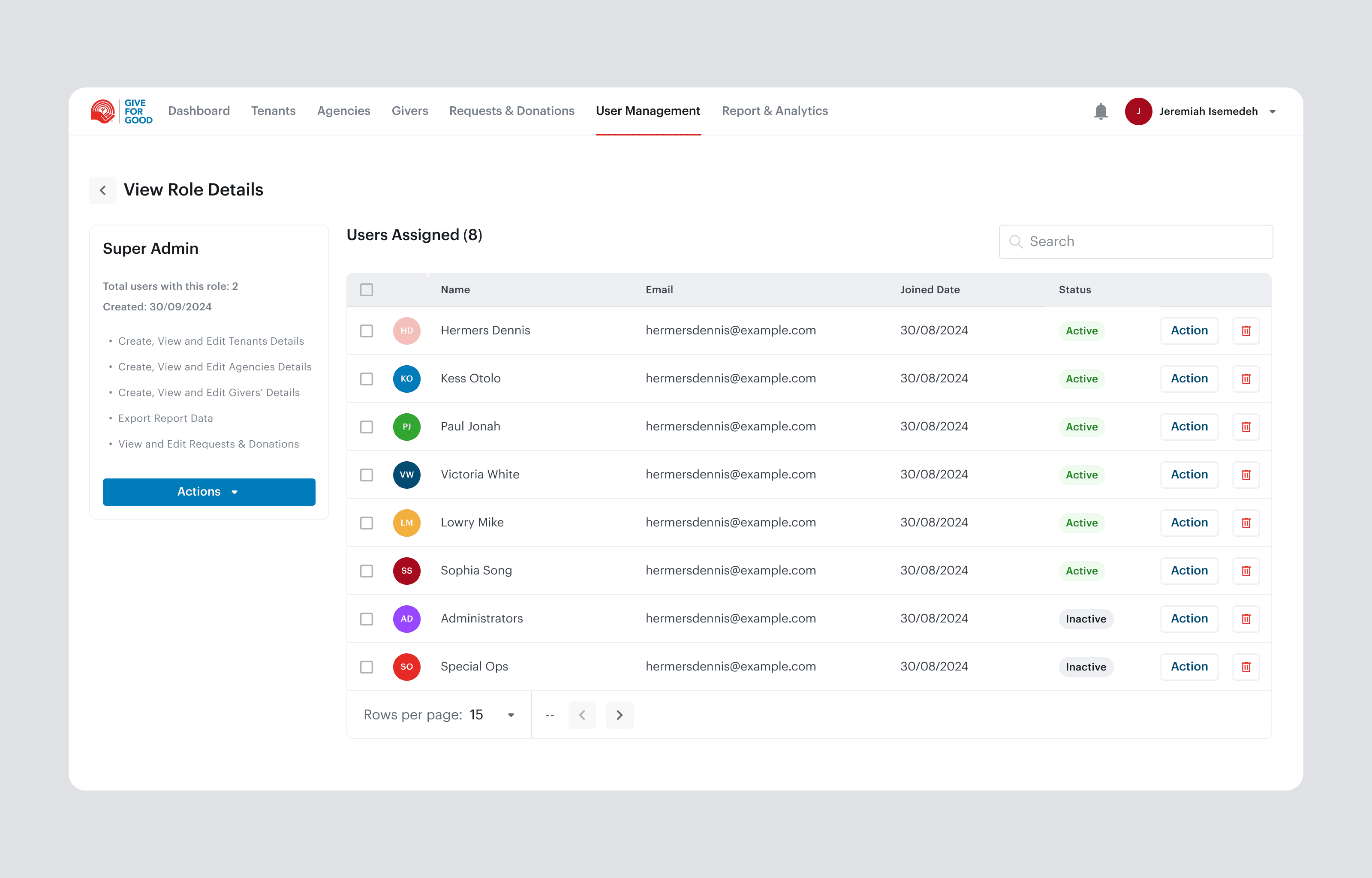
Four roles, four levels of access

  1. 01

    Super Admin: Full oversight and control across every tenant, agency, donor, and staff account.

  2. 02

    Admin: Manage day-to-day operations within their scope, including agencies, requests, and donor matching.

  3. 03

    Support: Handle requests and assist users without access to sensitive controls or settings.

  4. 04

    Developer: An internal technical role for the team that builds and maintains the platform.

03/Process

Process

The Challenge

Give for Good had no backend to manage its users or charity homes. Everything ran off a single landing page, which left the work clustered, undifferentiated, and confusing, especially for anyone using it for the first time. Staff had no structured way to find an agency, track a donation, or see who had given what. The most important job the organization does, matching a charity's request to a donor's donation, was handled manually and could take days. As the network of tenants and agencies grew, the lack of structure became a hard ceiling on how much the team could handle.

Understanding the Users

The system would be used by four roles with different privileges: Super Admin, Admin, Support and Developer. Critically, the staff who used it day to day were not technical. Most were aged 30 and above and needed a tool that did the organizing for them rather than one that assumed system fluency. Two things shaped every decision that followed:

  • Low tolerance for complexity. The interface had to make the structure obvious, so staff could act without training or guesswork.

  • Sensitive data, mixed access. Donor information and donation records meant not everyone should see or touch everything, so role boundaries had to be clear and safe by default.

User Needs

  • A clear, uncluttered way to find and manage agencies, tenants, and donors without training.

  • Confidence that they are only seeing and doing what their role allows.

  • A fast, reliable way to match incoming requests to available donations.

  • Visibility into every donation's status and history.

  • Reports that hold the organization accountable over time.

GiveFor Good

From a cluttered landing page to the system that connects donations with the people who need them.

Give For Good concept

Feature 01

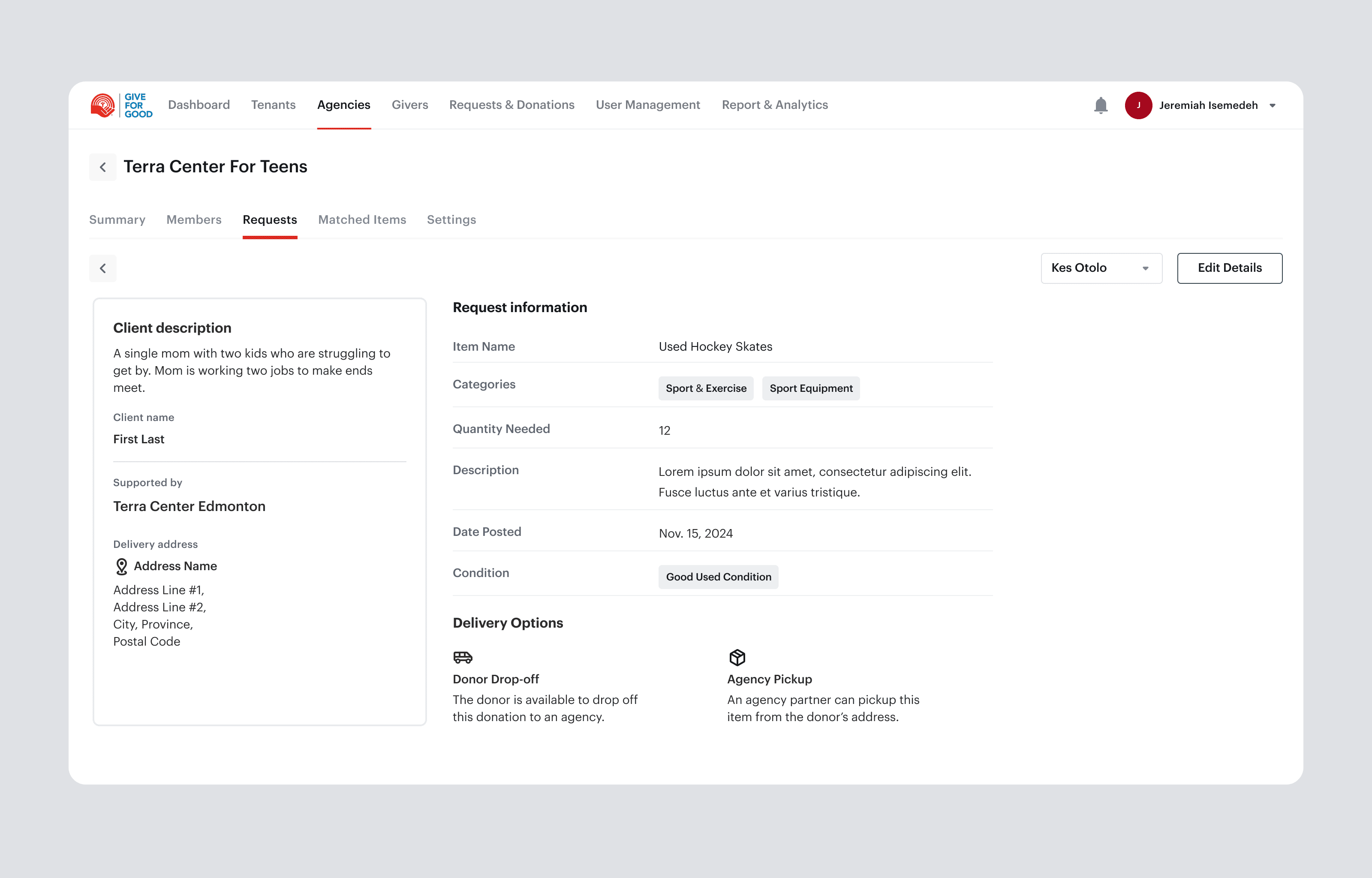
Request and Donation Matching

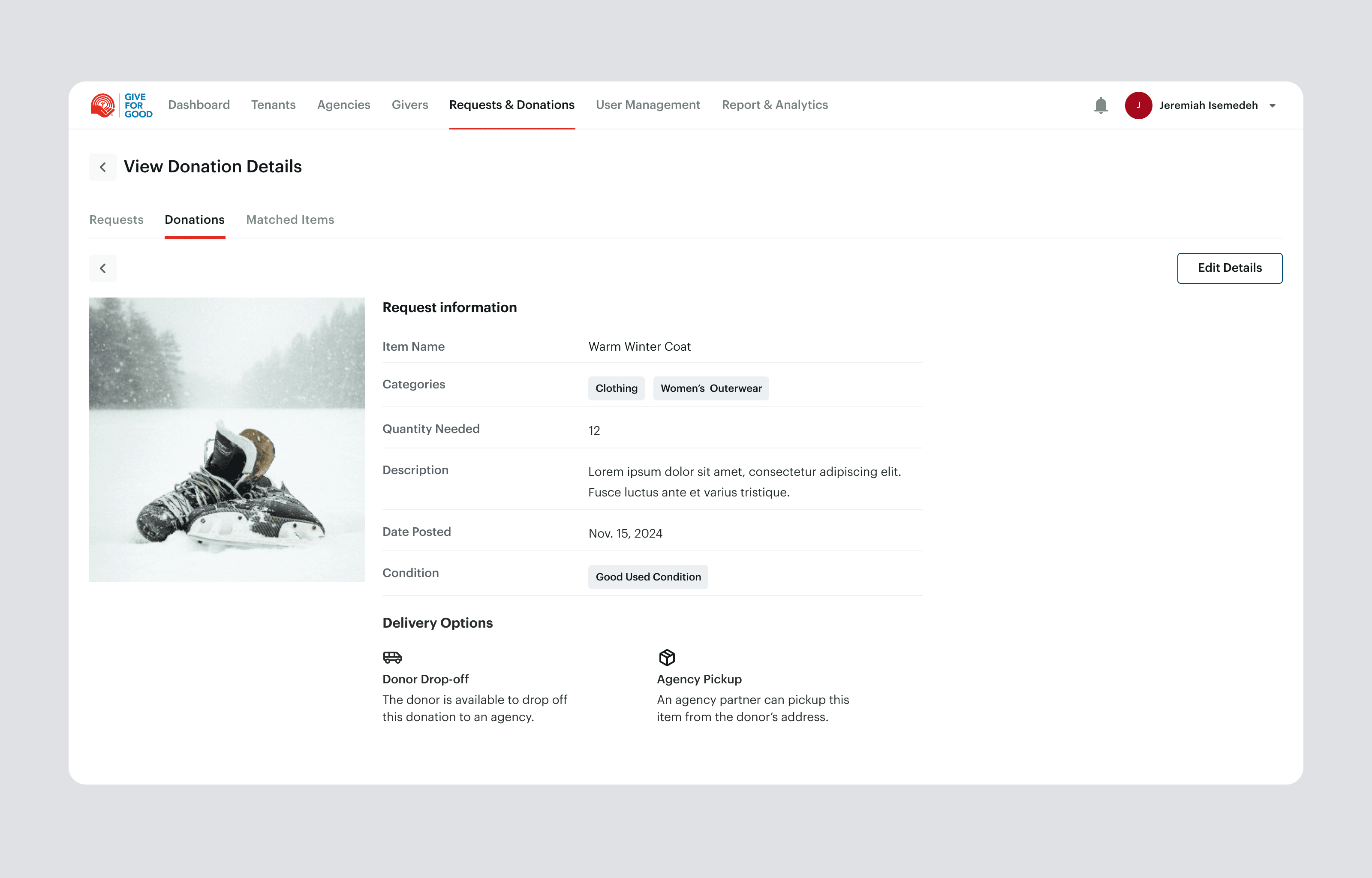
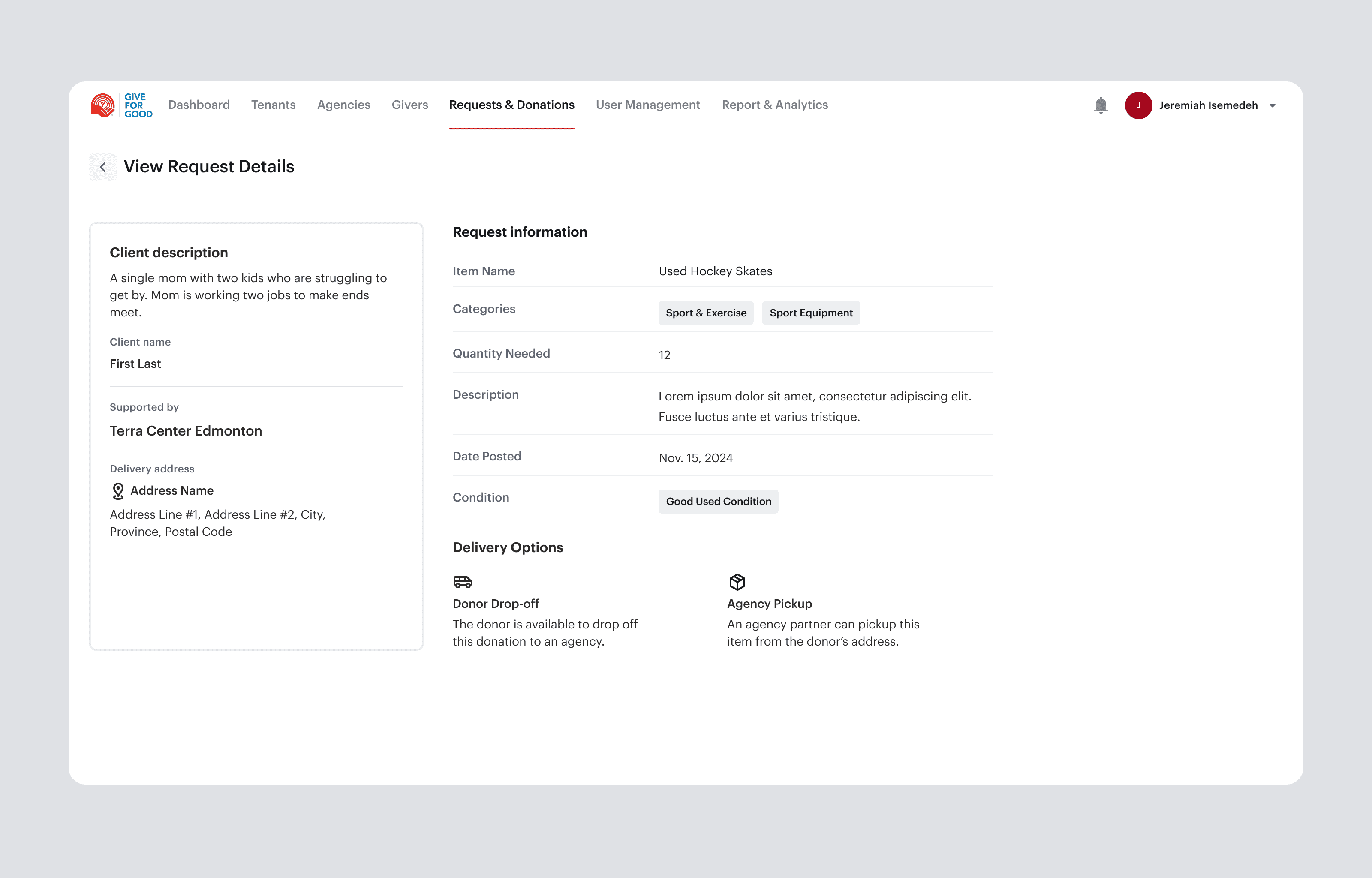
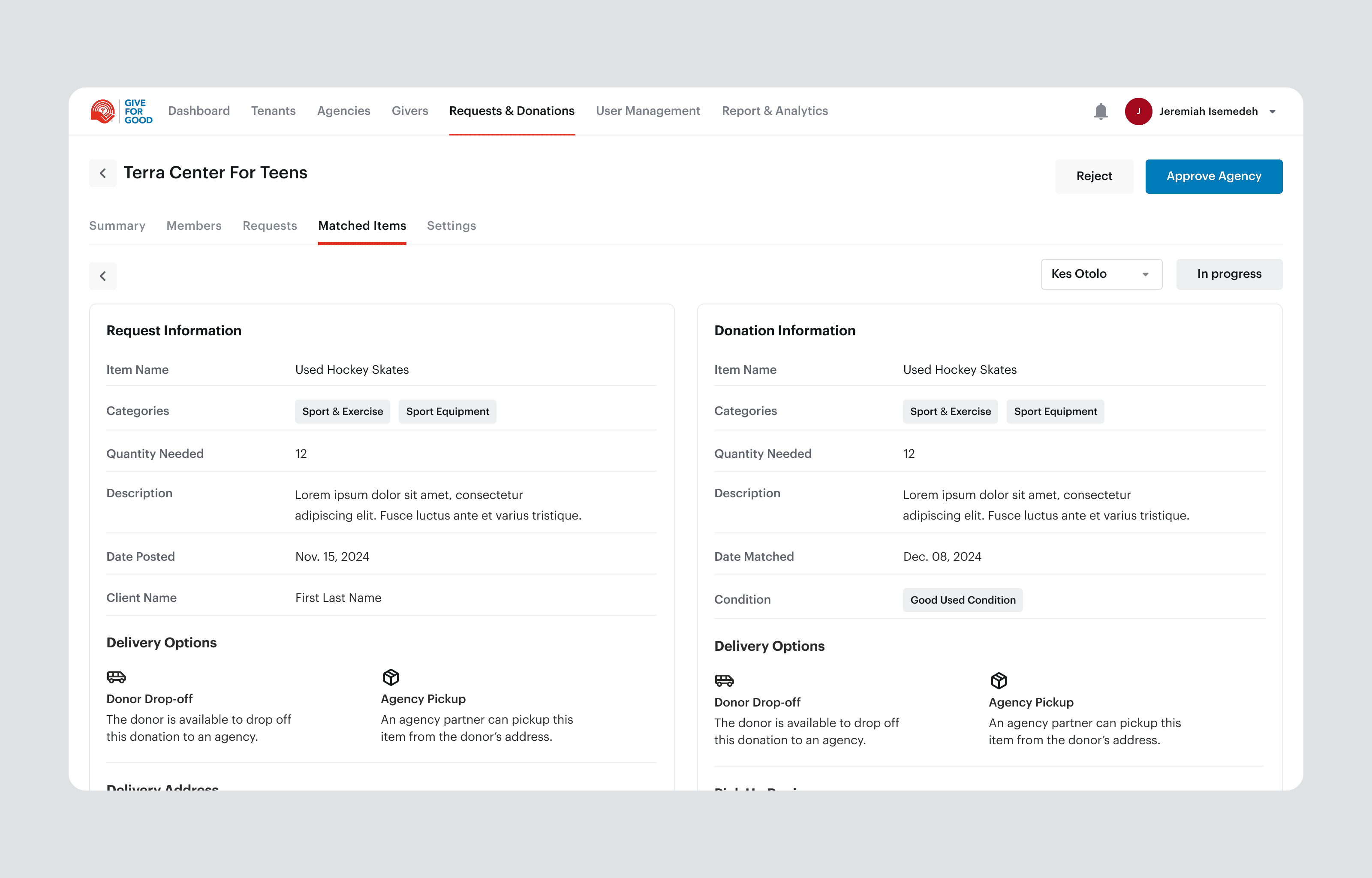
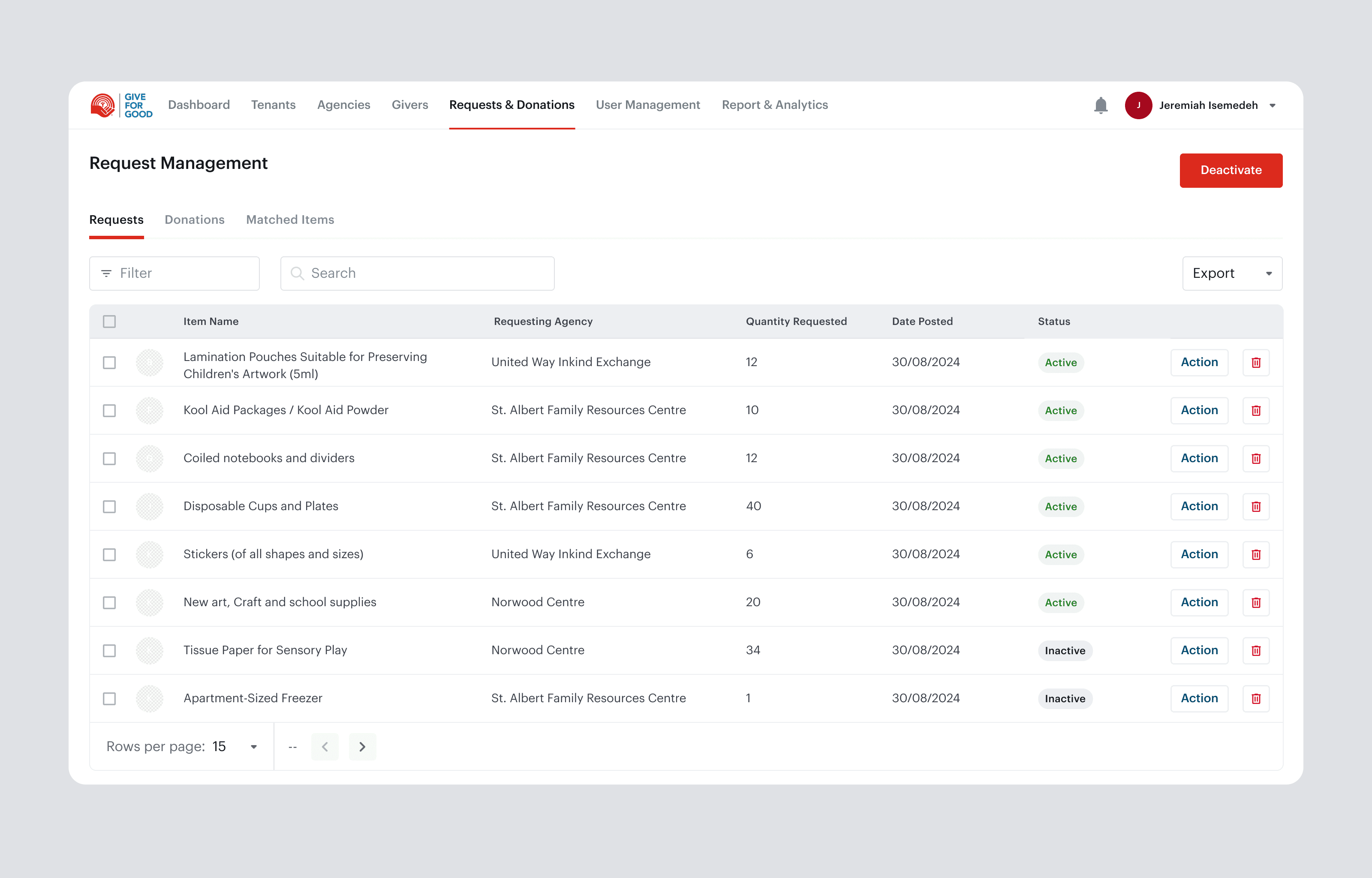
What it does: A central workspace where admins see incoming requests from charity agencies and match them to available donor donations, tracking each match through its status (in progress, completed, cancelled).

Why it matters: This is the core of what Give for Good does as a middle agent, and it was the most broken part of the old process. Matching happened by hand across a cluttered page and could take days, with real risk of donations stalling or going to the wrong place. Structuring it into a clear, filterable workspace gave every match a clear status and made the organization's central job dependable instead of fragile.
Feature 02

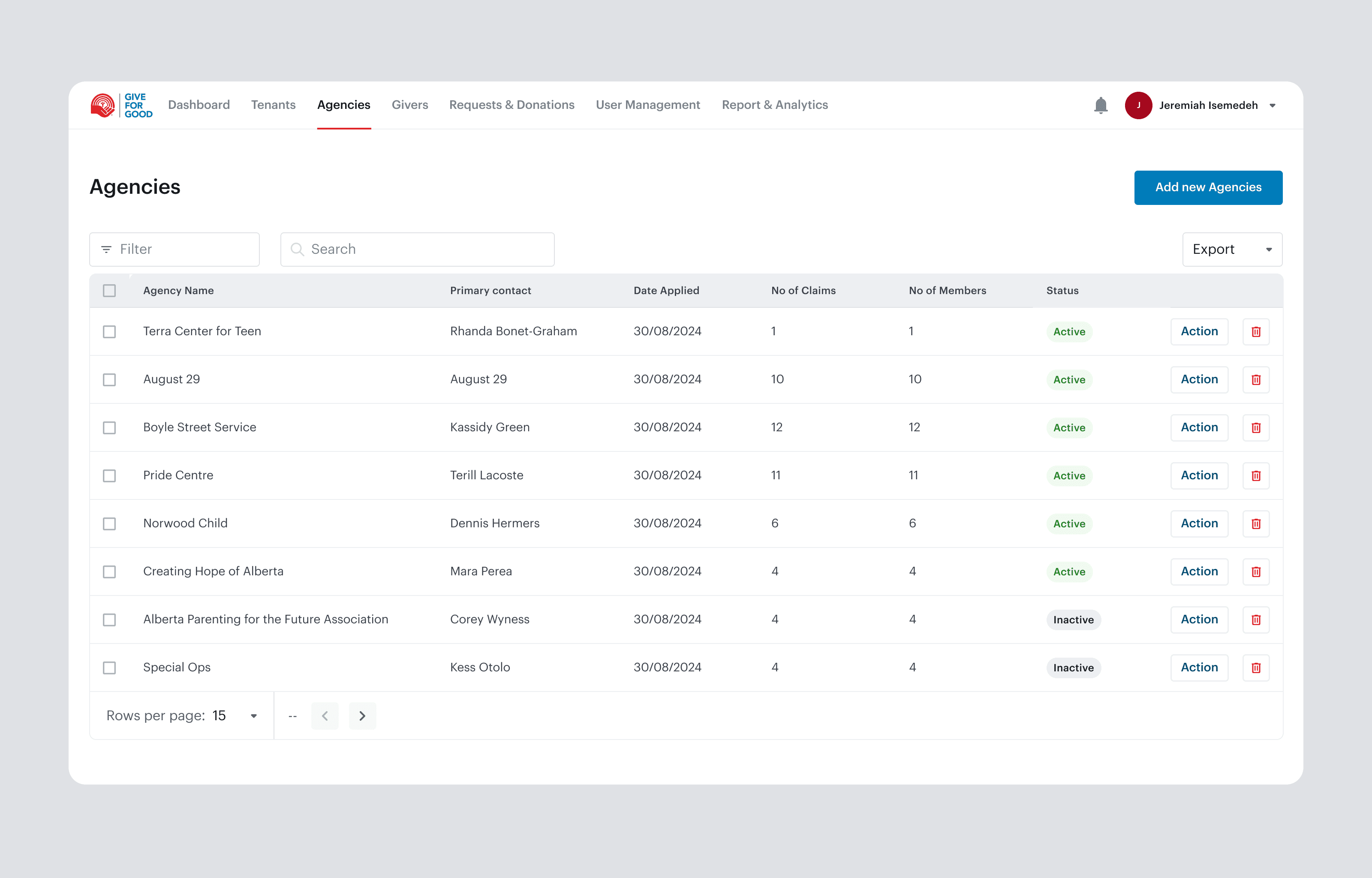
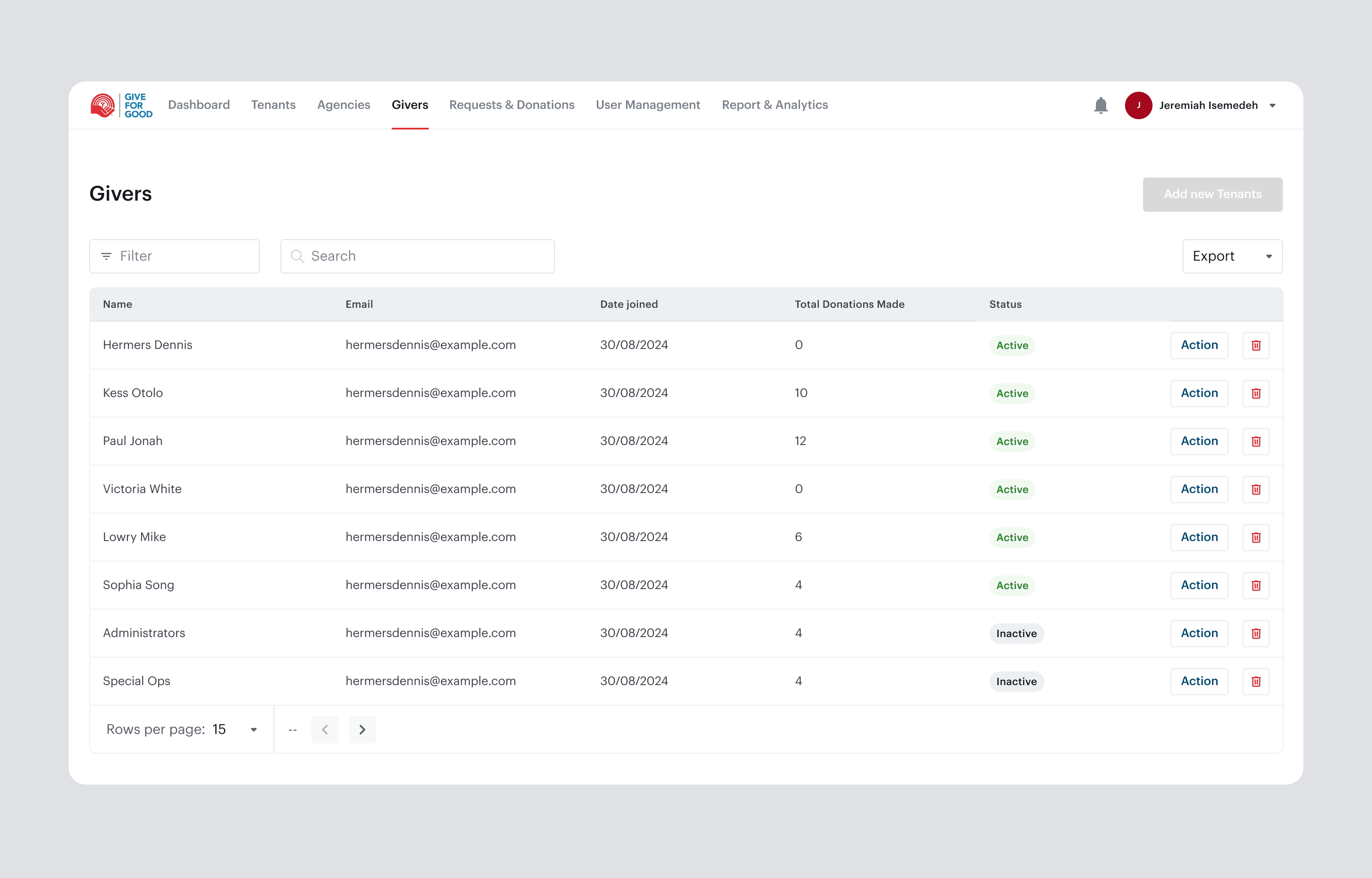
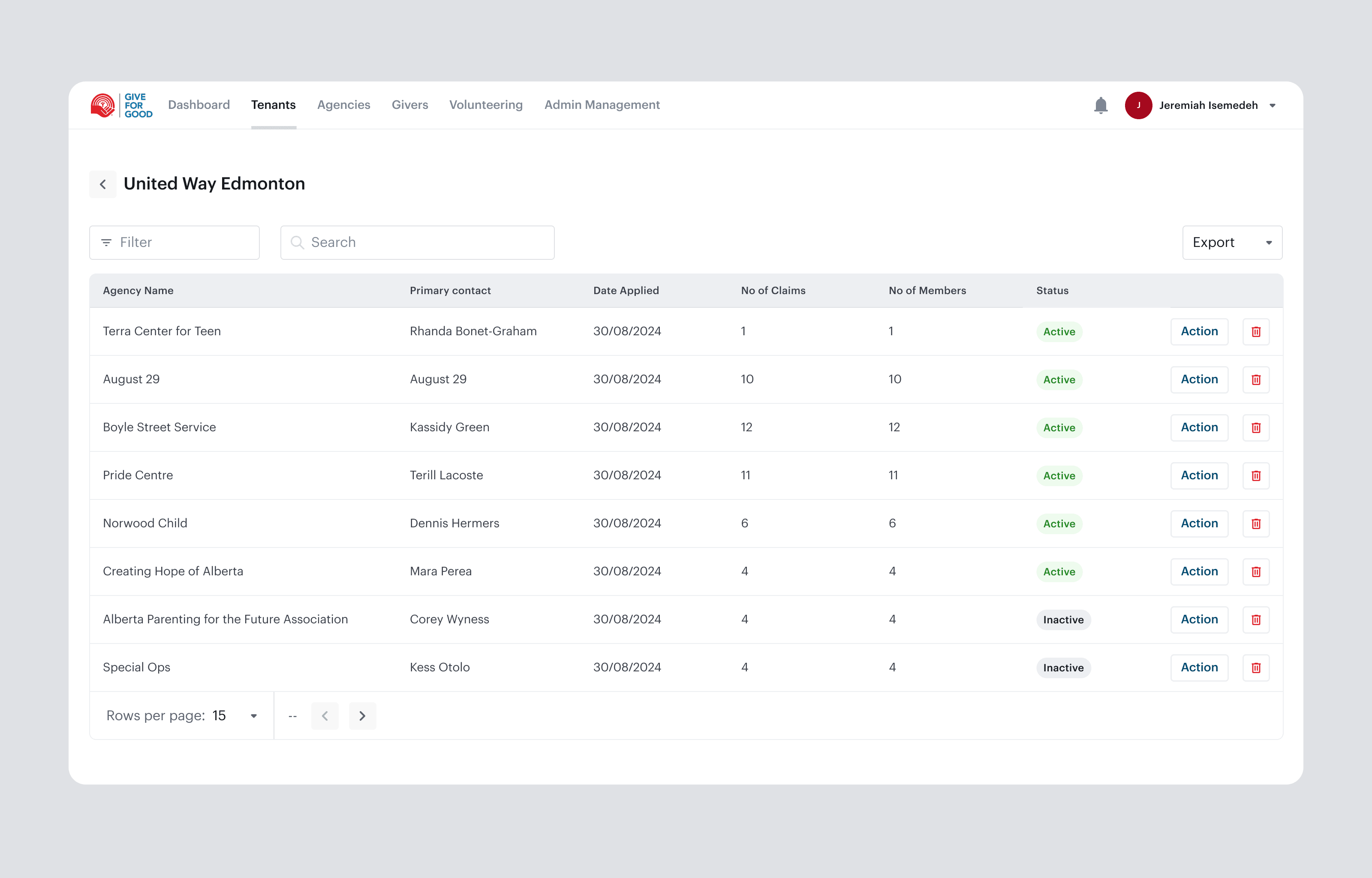
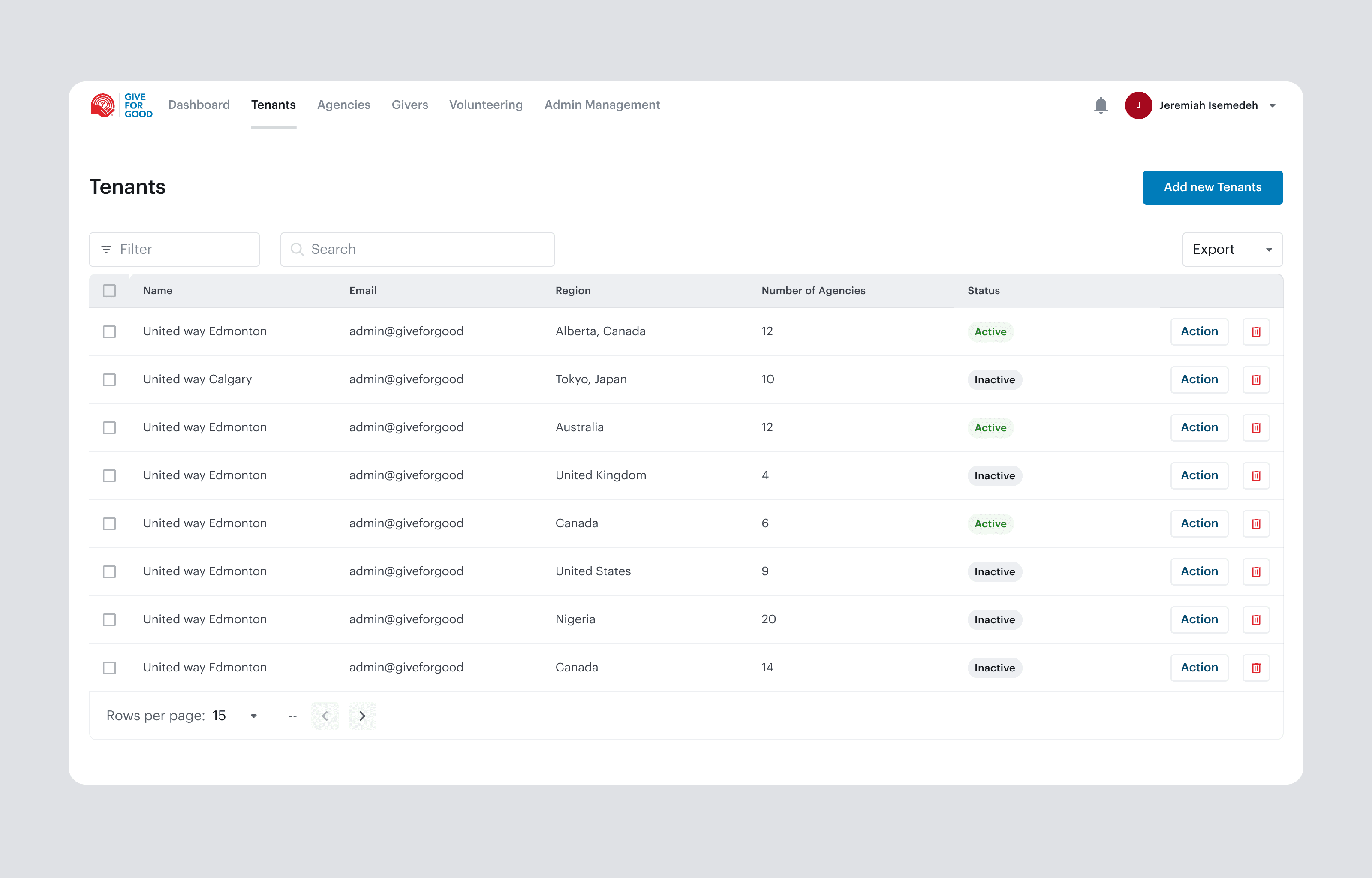
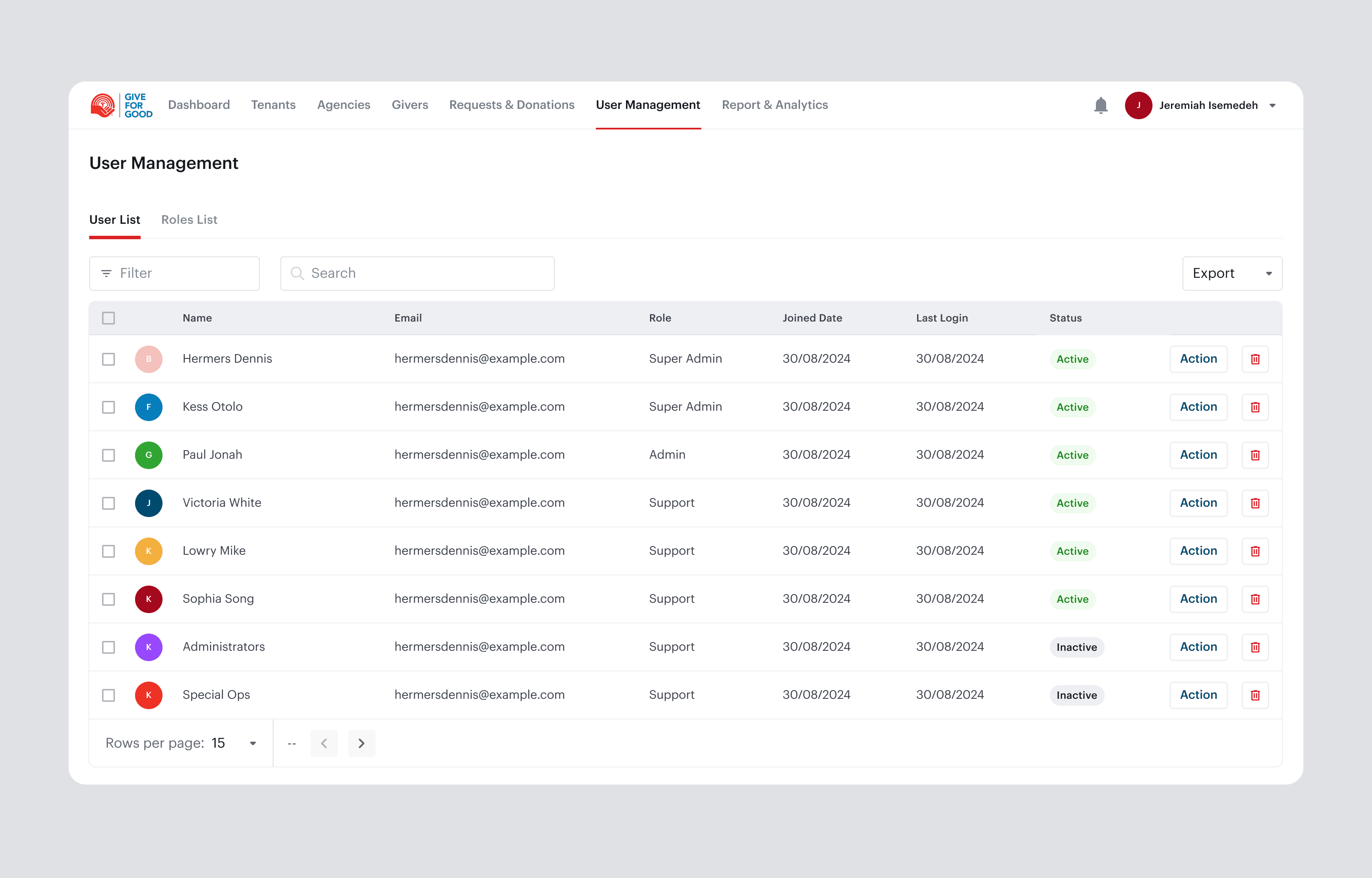
Tenants, Agencies, and Donor Management

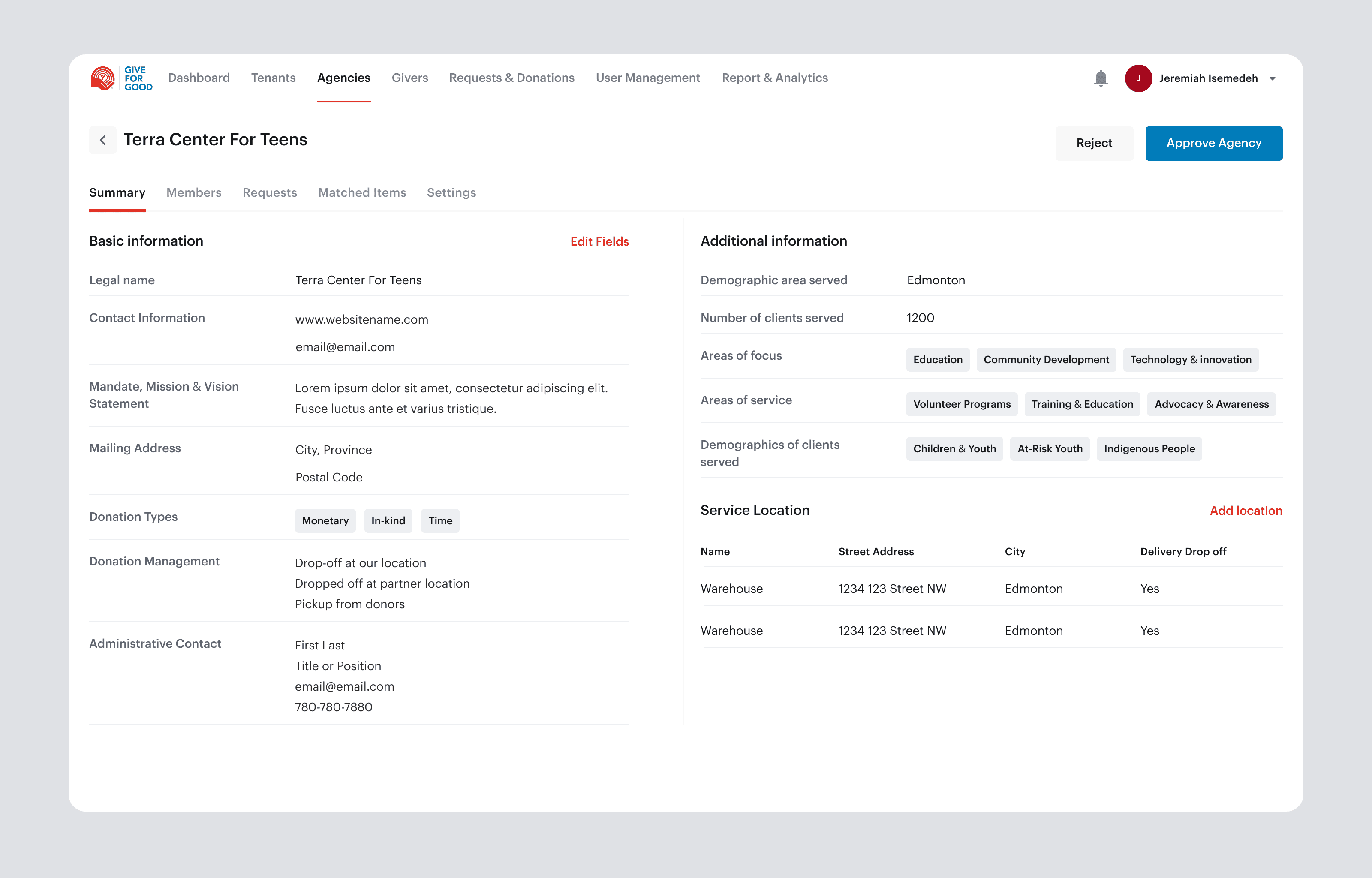
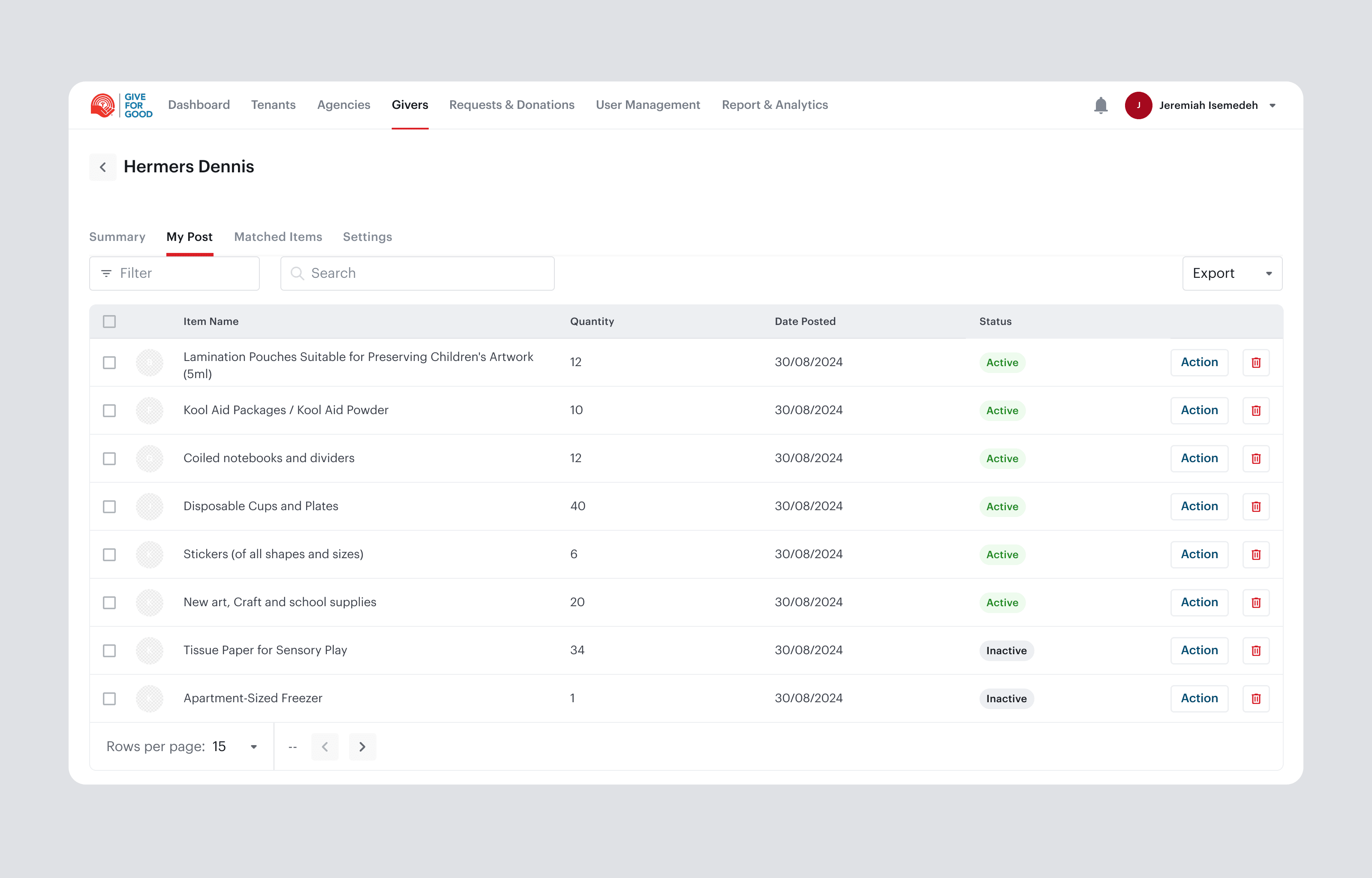
What it does: Structured directories for the three core entities the organization manages: tenants (the cities and provinces administering charities), agencies (the charity homes), and givers (the donors). Each has searchable records with status and history.

Why it matters: This replaced the single cluttered landing page with organized, retrievable records. Staff can pull up any charity home or donor in seconds instead of scanning an undifferentiated list. For non-technical users, that structure is not a convenience, it is what lets them do the job at all.

Feature 03

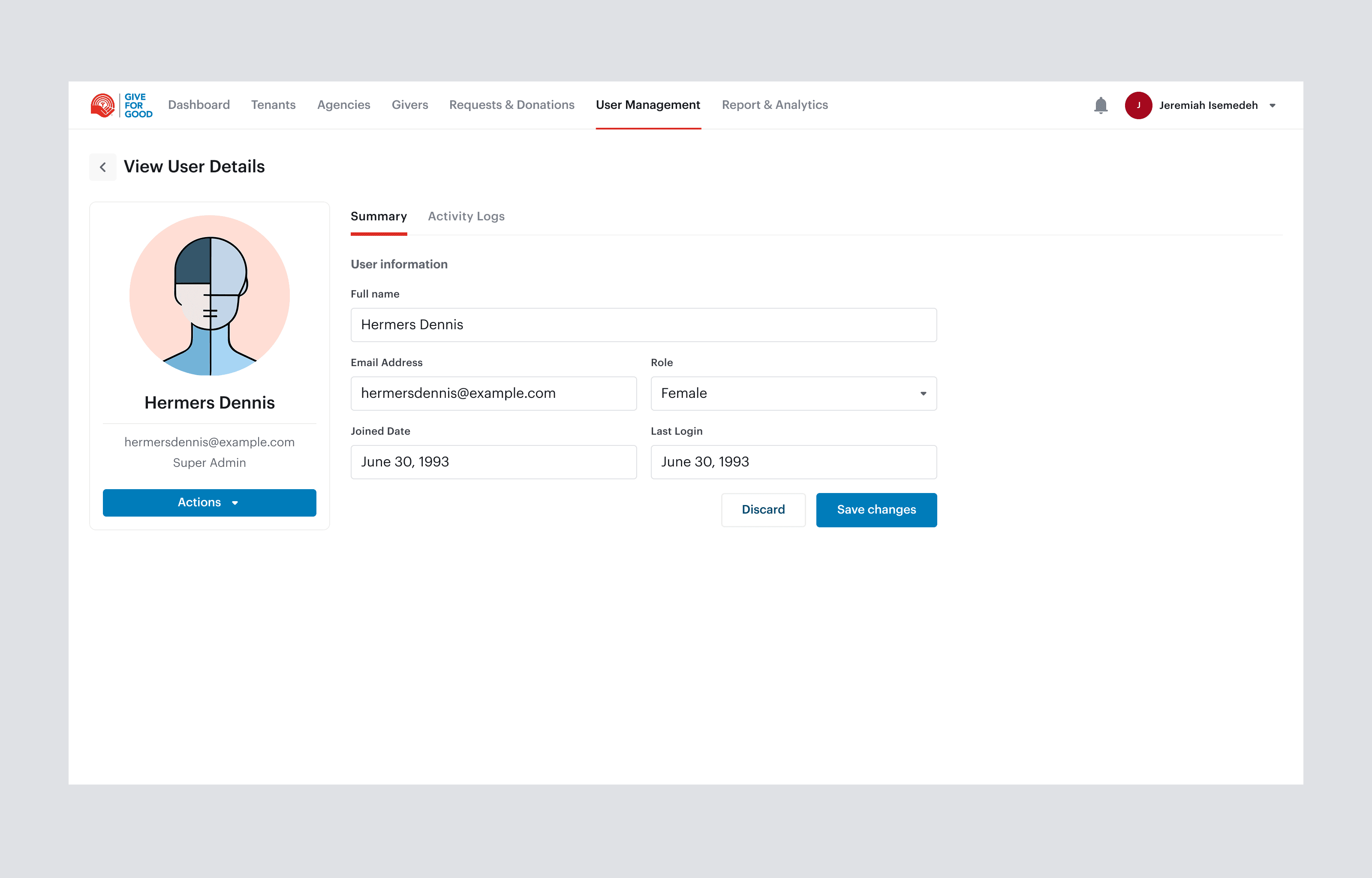
Roles and Permissions

What it does: Role-based access for Super Admin, Admin, Support and Developer, with each role seeing only the data and actions relevant to it.

Why it matters: With sensitive donor and donation data and non-technical staff, clear permission boundaries do two jobs at once. They protect the data and prevent costly mistakes, and they reduce cognitive load, because people are never confronted with controls that are not theirs to touch. Designing the access model carefully meant each person's screen quietly did the right thing for their role.

Feature 04

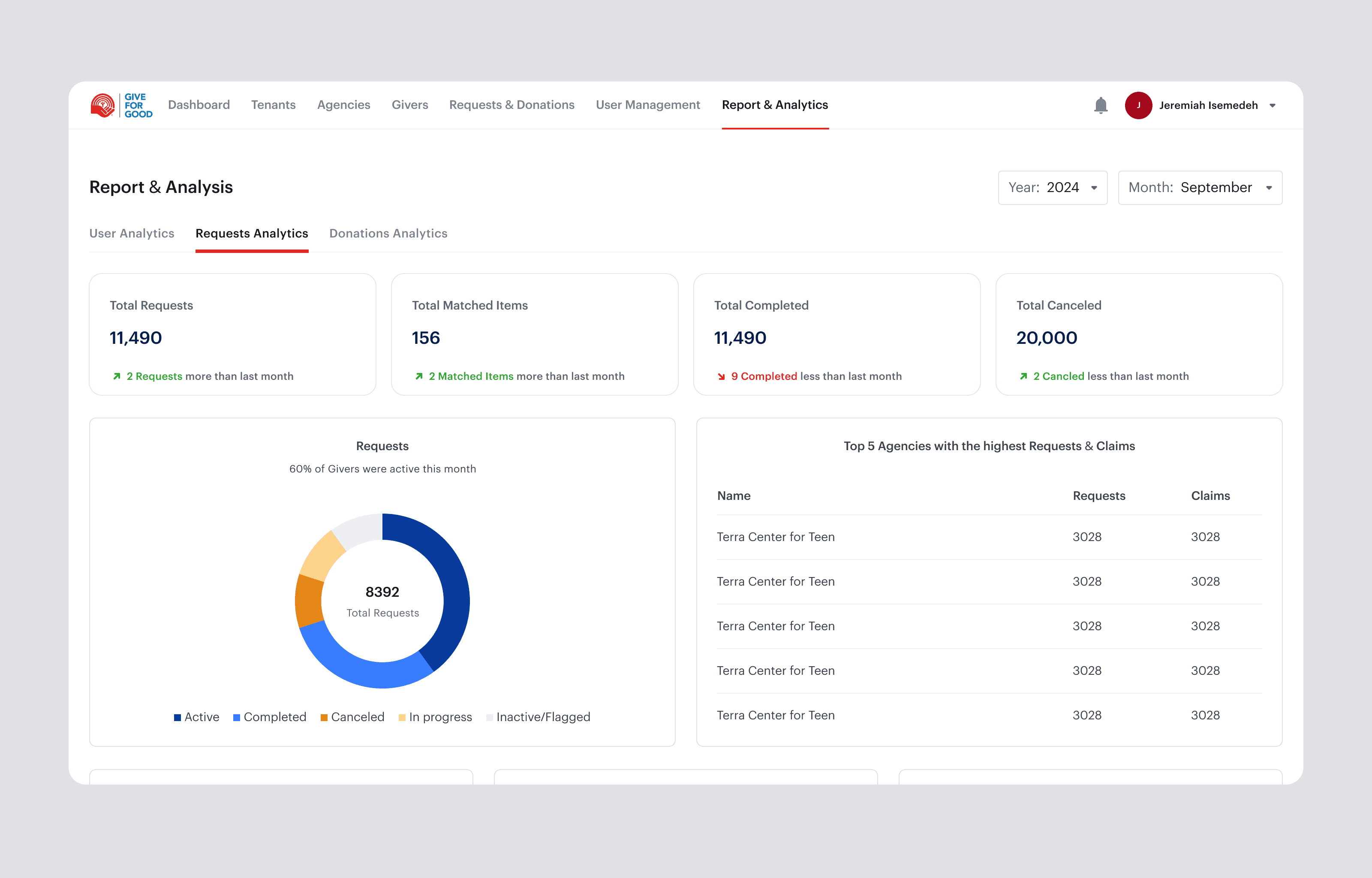
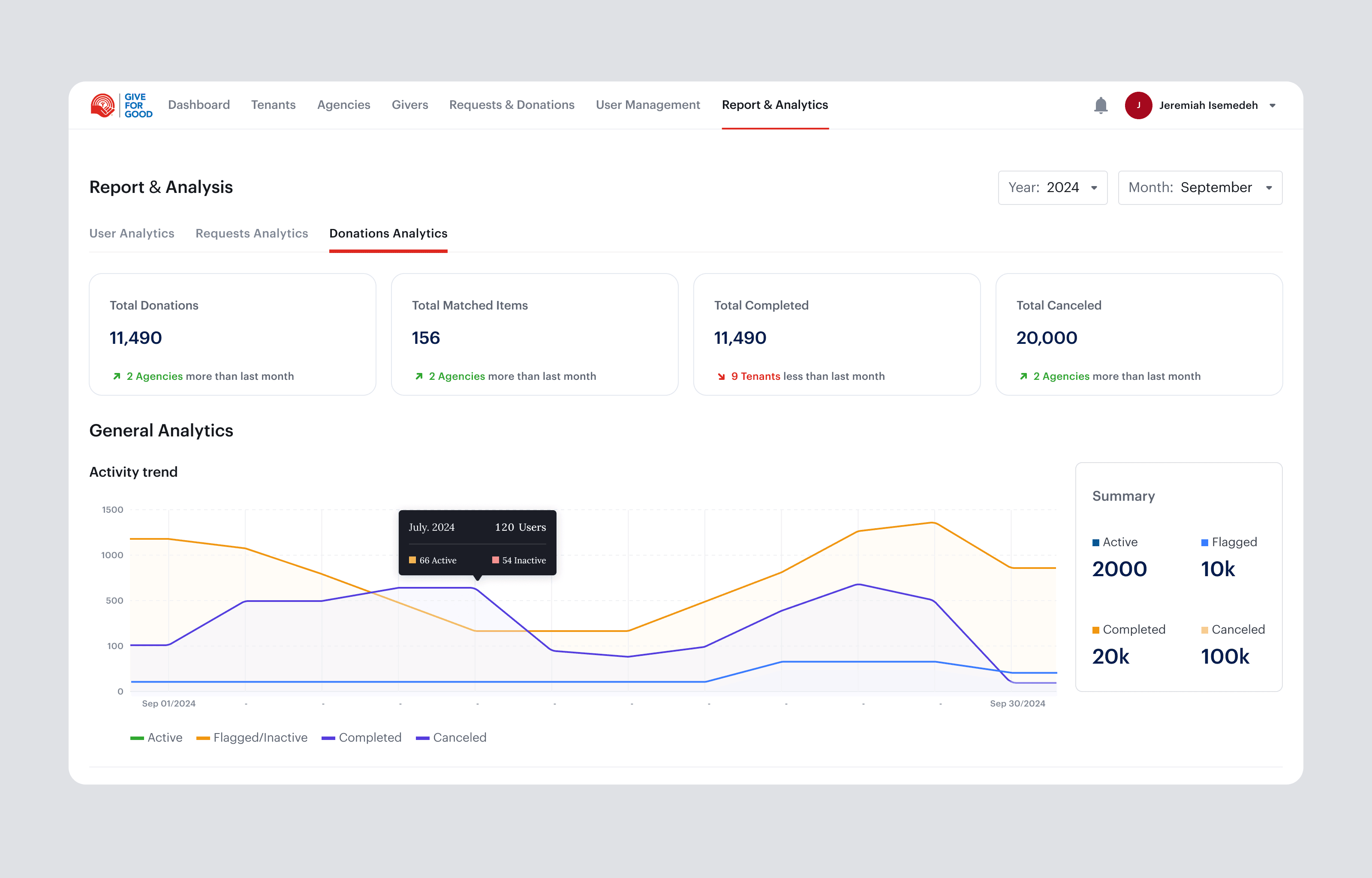
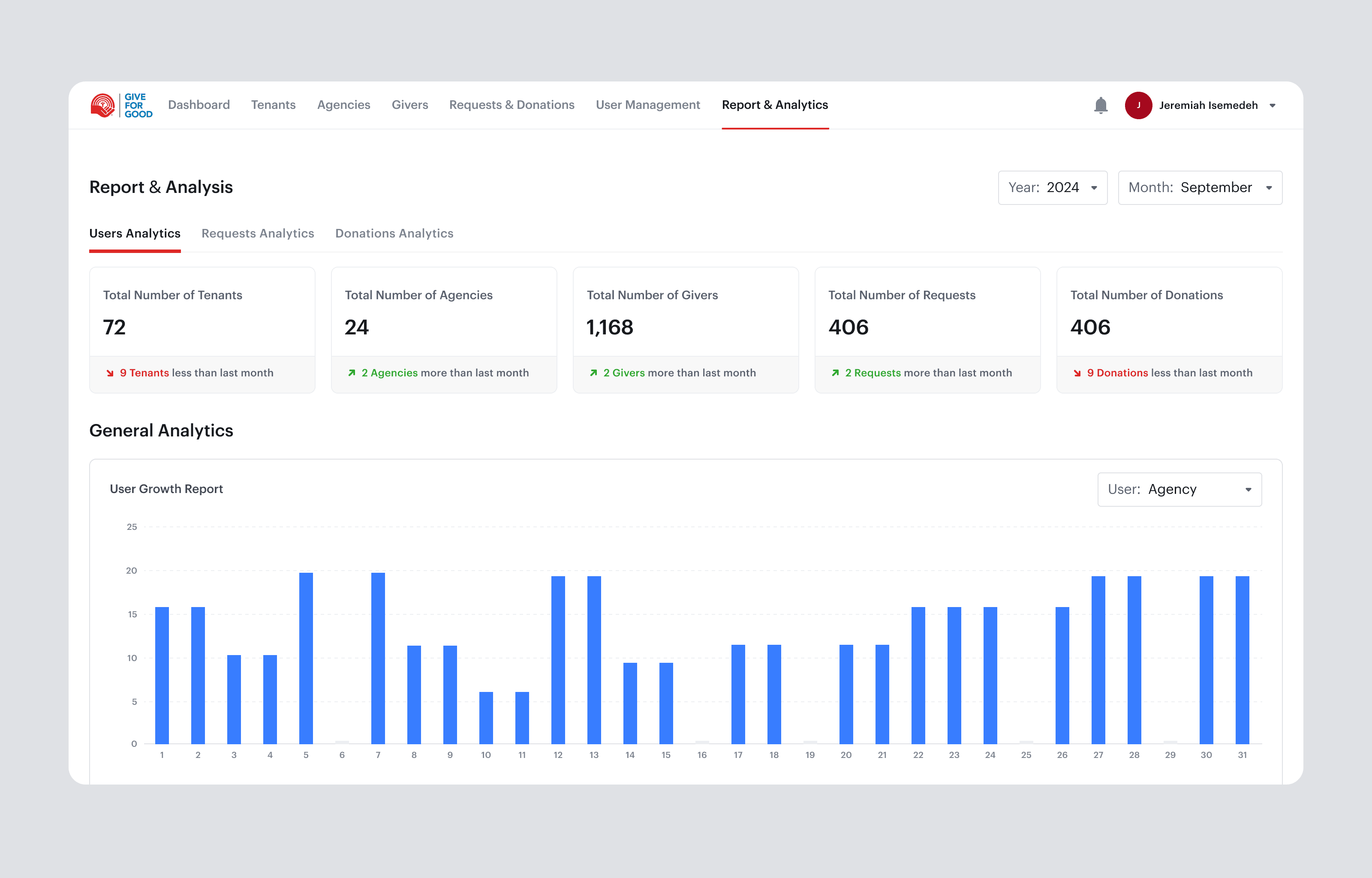
Reports and Analytics

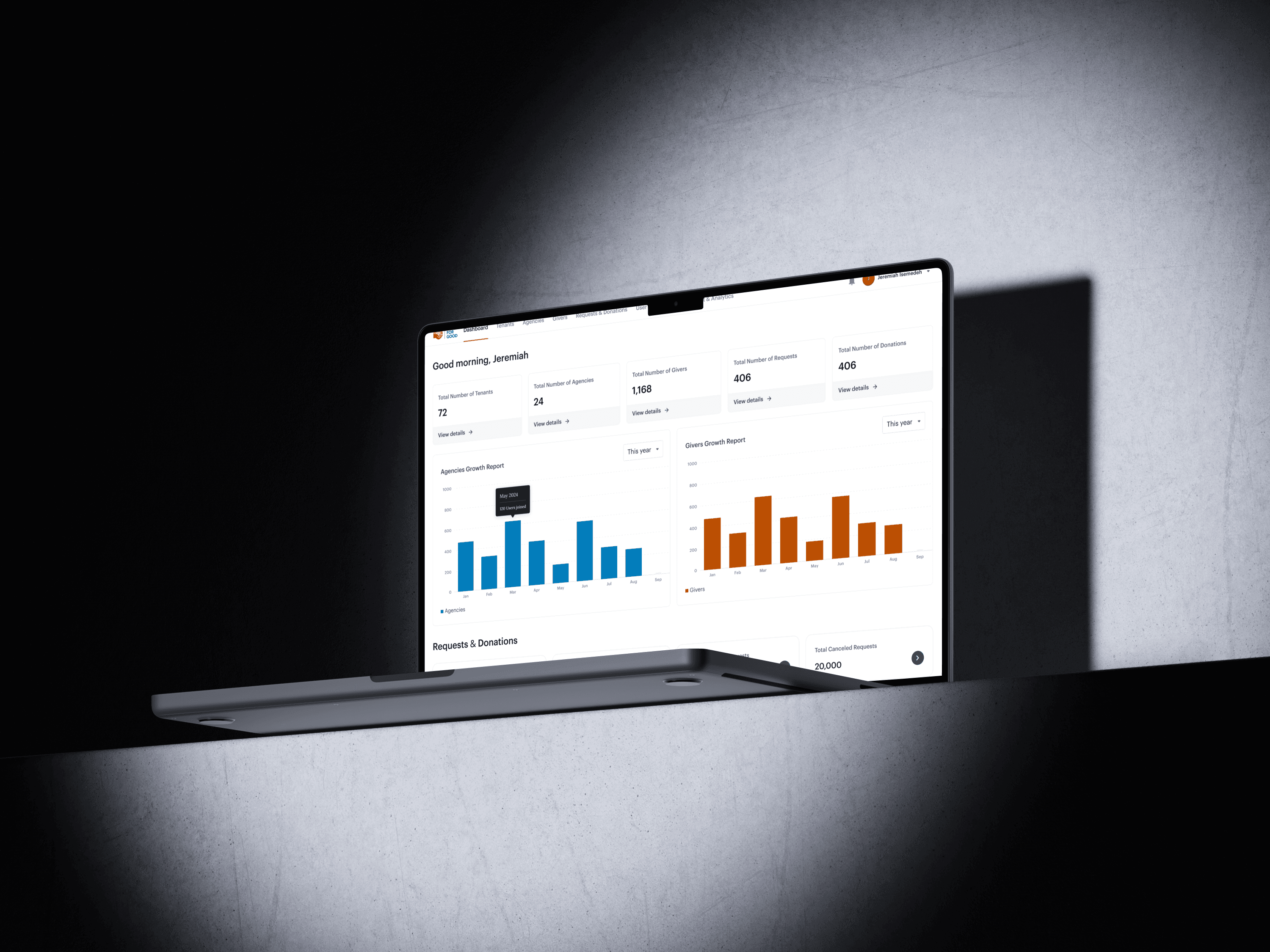
What it does: Monthly and yearly reports on donations, donors, requests, and their statuses across all tenants and agencies.

Why it matters: It gave leadership accountability and a clear view of giving activity over time, turning scattered records into something the organization could measure, report on, and plan around.

05/Impact

The impact

Monthly and yearly reporting

That gave the organization accountability it did not have before.

Fast retrieval

For any charity home or donor's information.

Full donation tracking

Across statuses, with a clear record of every donor.

06/Key Learnings

Key learnings

  1. 01

    For non-technical users, structure is the feature.

    The biggest win was not visual. It was giving the work a real information architecture, so the tool did the organizing the staff used to do in their heads. When users are not system-fluent, clarity beats capability every time.

  2. 02

    Permissions are a design problem, not just an engineering one.

    Shaping what each role sees and can do reduced errors and cognitive load at the same time. Access control is often treated as backend logic, but designed well, it is one of the strongest usability tools in an admin product.

  3. 03

    Designing for a middle agent means designing the connection, not just the records.

    The directories mattered, but the real value lived in connecting a request to a donation quickly and reliably. Finding the one workflow that carried the organization's mission, and making it fast, was worth more than polishing any single screen.

BizPartner preview